Orders by table
The waiter picks a table and adds dishes. Free tables show in green, tables awaiting payment in red with the amount, unsent drafts in yellow. The screen refreshes itself every 15 seconds.
FOR RESTAURANTS AND CAFÉS
Waiters take orders right at the table, the cashier prints a receipt in one tap, and you see the day's revenue and expenses in real time. Works on computers, tablets and phones.
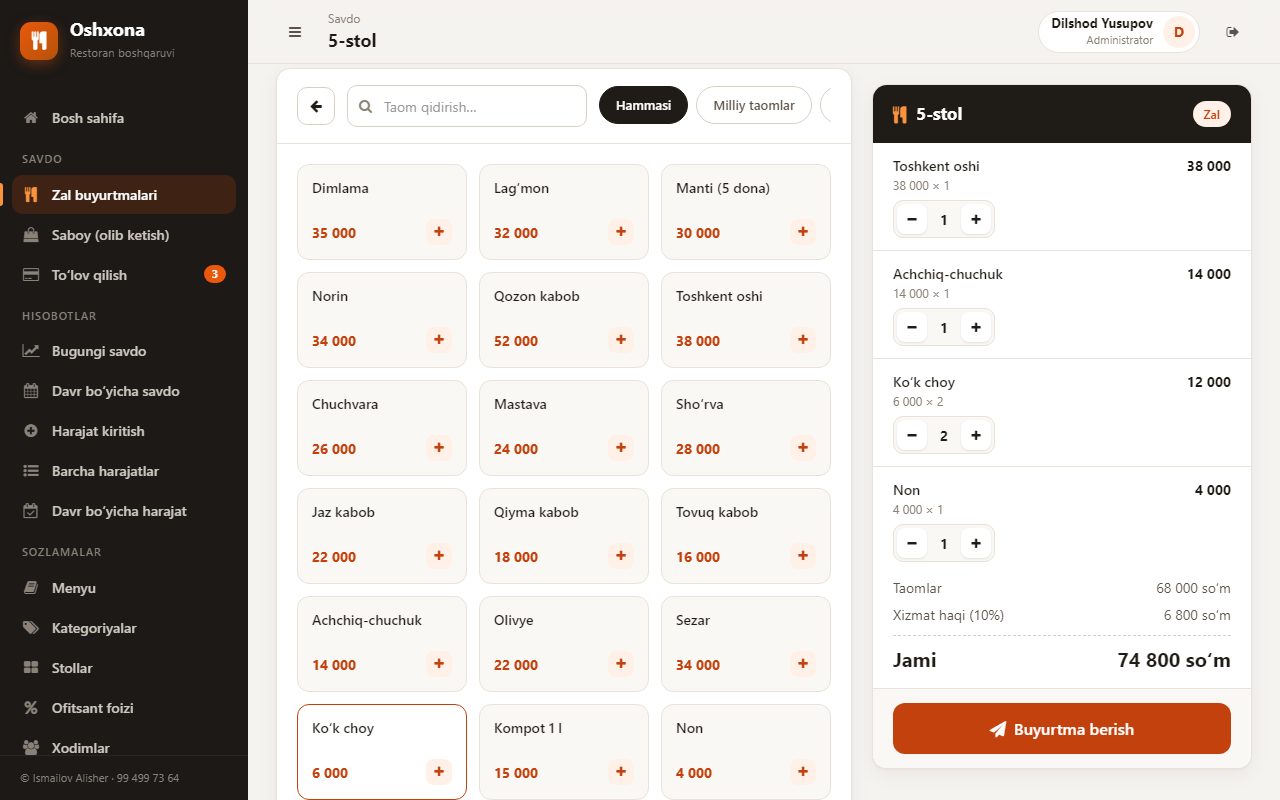
From order to payment, from the daily report to staff management — the core processes in one app.
The waiter picks a table and adds dishes. Free tables show in green, tables awaiting payment in red with the amount, unsent drafts in yellow. The screen refreshes itself every 15 seconds.
Dine-in and takeaway orders are recorded separately and shown separately in reports.
Your set service charge percentage is added to dine-in orders automatically. It is not added to takeaway orders.
Receipts print from the browser to an 80 mm thermal printer; the app itself needs no separate printer software. Receipts can be reprinted.
Unpaid tables on one screen. The cashier takes payment, reprints the receipt, records refunds and marks the order as “Paid”.
Today's sales (total, dine-in and takeaway), reports for any period, filtering by dish and waiter, and best-selling dishes.
Record your expenses. The home screen shows the net result: revenue minus expenses.
Separate permissions for administrators and waiters. Waiters only see the order screen and help.
Works in the browser on computers, tablets and phones. No app to install.
See the core workflows in one interface.
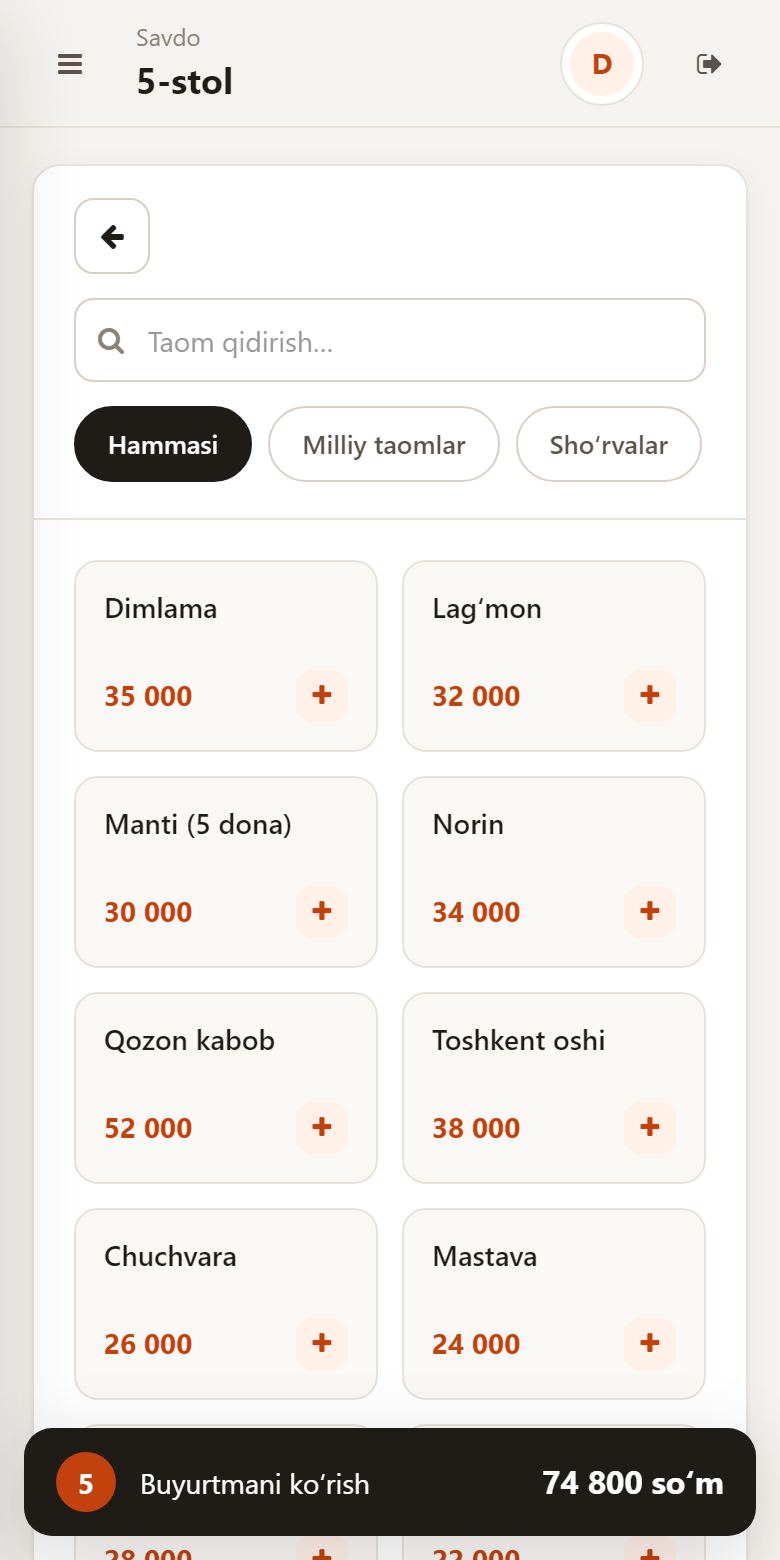
From waiter to manager — everyone does their job in one system.
The waiter picks a table, adds dishes from the menu and sends the order.
The order appears on the cashier screen. The cashier prints the receipt, records the payment and marks the order as paid.
The manager tracks revenue, expenses, net result, popular dishes and waiter performance through reports.
Try it free first, then choose the plan that fits your restaurant. No limits on tables, menu items or staff.
0 UZS/15 days
Try the app free for 15 days.
300,000 UZS/month
+30 bonus days
You get 30 bonus days when you subscribe.
By agreement
A solution tailored to your needs.
Yes, but only when the app is installed on your restaurant's own computer and devices connect to it over the local Wi-Fi network. In that case no internet is needed. The online version, opened over the internet, does need an internet connection.
Yes. The app runs in the browser, so you can open it on a computer, tablet or phone. No app to install.
Receipts print from the browser to an 80 mm thermal printer and can be reprinted. The app itself needs no separate printer software. You can ask about a specific printer model on Telegram.
No. The plan has no limit on tables, menu items or staff.
Each restaurant's data is kept separate from other restaurants.
Sign up with the “Get a demo” button: the app is free for 30 days, no card details needed. If you need help, message us on Telegram.
After the free trial the app costs 300,000 UZS per month. This is the main plan and includes every feature. If you need custom setup, the Enterprise plan is priced individually. For payment questions, contact us on Telegram (@tillo_khamdamov_admin).
Start managing orders, payments and daily reports in one app.